
Business discovery
Explore an area by business category and radius, with filters that help focus the search.

PROSPECTING + SALES FOR WATER-TREATMENT TEAMS
Explore prospecting tools for your territory, then keep leads, calls and follow-ups connected in one shared workspace.
See how it could fit your team’s workflow.
START WITH YOUR TERRITORY
Start with where your team sells. Explore businesses, review the context, and give the next conversation a clear direction.
Live scanner setup required · Fictional preview below
Set an area, business categories and a search radius.
Use business details and source-linked research to decide what deserves a closer look.
Verify the details, choose an owner and organize the follow-up.
Scroll to explore the workflow
Business discovery and public-web research are still being connected. Live scanners need provider setup; availability and any search costs are confirmed during your demo.
Explore an area by business category and radius, with filters that help focus the search.
Review territory and nearby-opportunity workflows alongside your business prospecting. Availability is confirmed during setup.
Review public business context and its sources before deciding how to approach a prospect.
Keep track of previous scan activity and return to the territories your team is working.
Illustration above: choose an area, review potential matches, then verify the details for follow-up. All sample businesses are fictional.
HOW IT WORKS
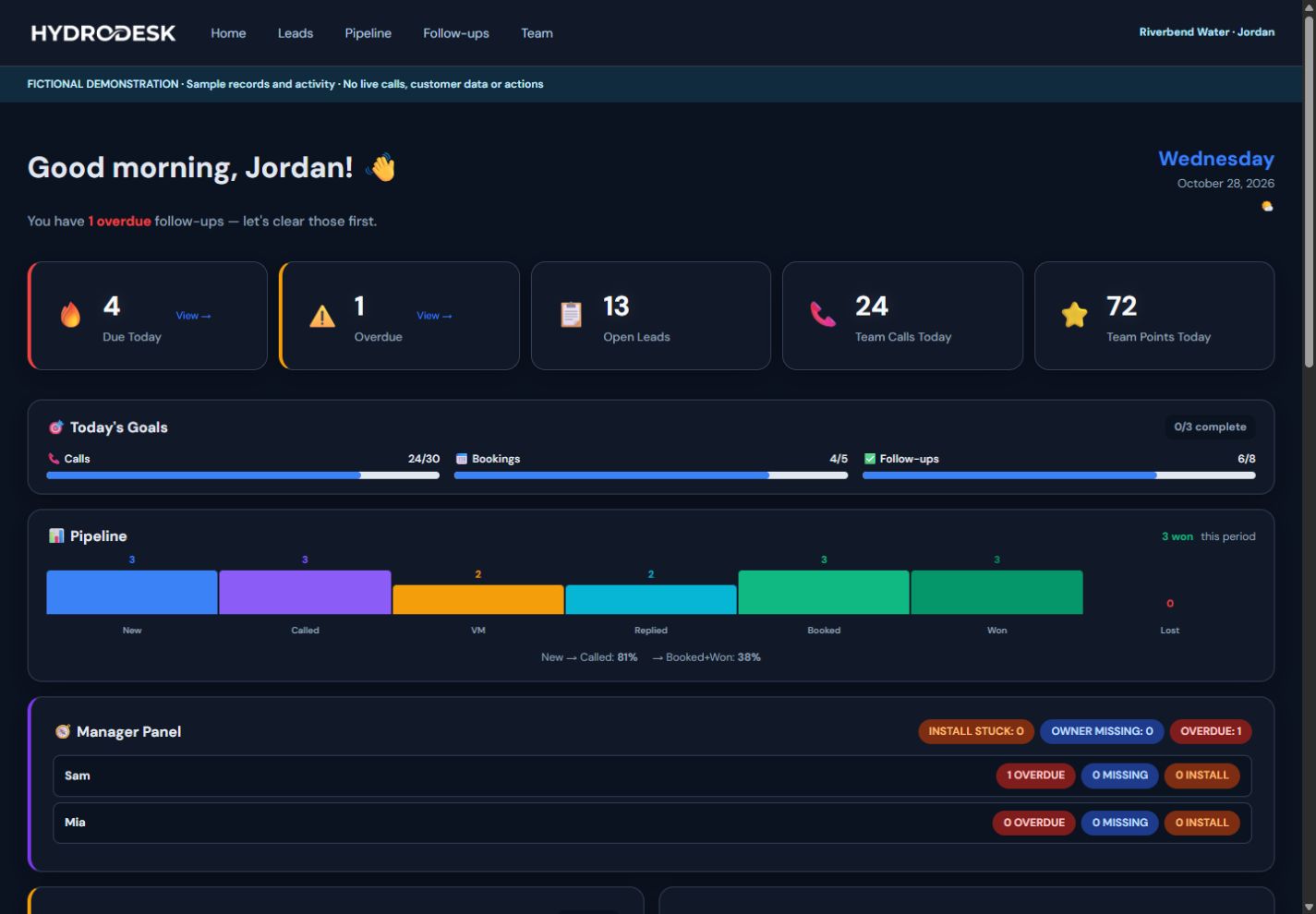
Open one shared workspace to review your leads, pipeline progress and next follow-ups.
ONE LEAD, FROM ENQUIRY TO FOLLOW-UP
Alex has asked about home water treatment. The enquiry and contact details are kept together.
BUILT AROUND THE OWNER’S VIEW
From prospecting to follow-through, keep the team’s next actions in view without piecing together separate conversations.
Review contact details, notes and the current status of each opportunity.
Review sales activity and pipeline progress from a shared workspace.
Keep the next actions visible so your team knows what needs attention.
PRICING
Start with your team size. We’ll explain setup, onboarding and any separate service costs during your demo.
For a focused sales team.
$399/ month
Up to 5 seats
Your core sales workspace
SMS needs your own Twilio account and approved setup.
Book a demoFor a growing operation.
$999/ month
Up to 15 seats
Build on your core workspace
Invoicing and messaging availability confirmed during setup.
Book a demoFor a wider team.
$1,799/ month
Up to 30 seats
Build on your core workspace
Support scope, domain and API availability confirmed at your demo.
Book a demoEmail, SMS and AI prospecting are still being connected. Availability and any third-party costs will be confirmed before activation.
YOUR NEXT STEP
See the leads, pipeline and follow-up views, ask your questions, and discuss how HydroDesk could fit your business.
Book a HydroDesk demo Review the product and setup options before deciding on a plan.HydroDesk has business discovery, residential territory and neighbor-scan workflows, plus saved scans and source-linked business research. Live discovery and research are still being connected. We’ll confirm which workflows are available for your business, provider setup and any usage costs before activation. The examples on this page are fictional.
Water-treatment business owners, sales managers and reps who need to keep leads, pipeline activity and follow-ups connected.
Yes. Start with a personal demo to see the workspace and discuss your team’s workflow. Booking a demo does not start a paid subscription.
Start with a demo. We’ll review your team size, workflow and setup requirements, then confirm the next steps.
These services are still being connected. We’ll confirm availability, account setup and any third-party costs before a service is activated. Customer-owned Twilio connections are being prepared for SMS.